
Name-Based Tyler County Case Searches
The official re:SearchTX portal greets you with Cases and Hearings options. Its guide walks through advanced search, a Search By control, and an asterisk wildcard. The wildcard works in the judge, attorney, and party name fields that support it. The county search notice also names iDocket for criminal records. That vendor's live layout is its own. So trust only the fields the official guide spells out.
- Identify whether the case belongs to District Court, County Court, a justice precinct, a municipal court, an appellate court, or federal court.
- Choose Cases or Hearings in re:SearchTX, then use the supported name field and wildcard only as the official guide permits.
- Review more than one match. Compare location, case category, filed date, party table, and court before opening details.
- Sort or refine the result set, then record the full cause number and court from the likely match.
- Confirm the result with the originating clerk before relying on it or requesting a certified document.
The inventory here lists only controls documented in the official guide. County PDFs are not name-search forms. The public iDocket page must be opened by hand before anyone claims more fields exist.
| Field label | Type | Required | Notes |
|---|---|---|---|
| Cases or Hearings | Search choice | Yes | Selects the kind of statewide result |
| Search By | Control | Yes | Choose a supported search mode |
| Party name | Text | Depends | An asterisk can serve as a supported wildcard |
| Advanced search | Filter set | No | Narrows the statewide search |
| Sort | Result control | No | Newest filed, oldest filed, or cause number |
re:SearchTX for Tyler County Cases
Open a case in re:SearchTX and you get a summary. Open a hearing type and you get its details. The guide also covers exports, case folders, alerts, sharing, filing, and a document cart. Some saved tools and document functions need an account. A document listing may show a page count, a price, or a free tag. A link marked available is not always a free download. The landing screen for the official statewide search shows where those options begin.
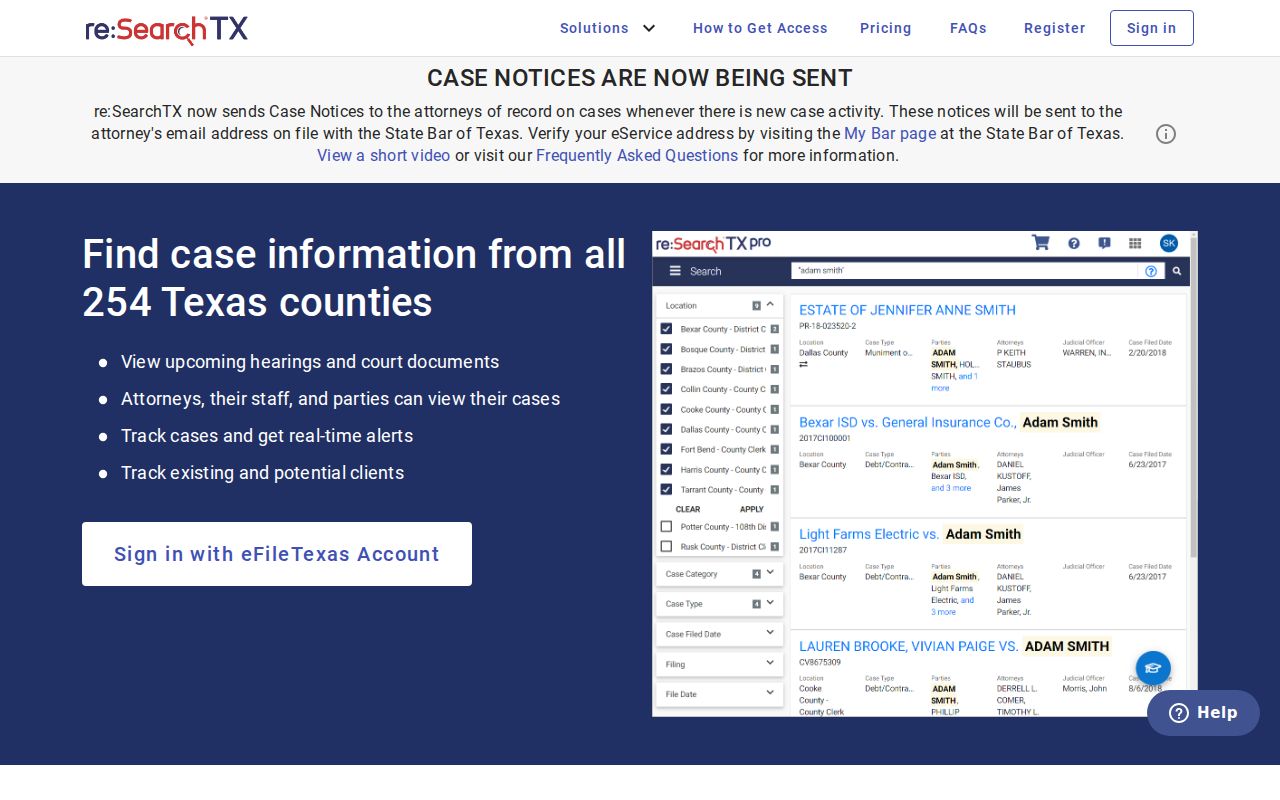
Treat the portal as a statewide layer. For Tyler County facts, confirm with the clerk of the court named in the result.
Tyler County Case Number Searches
A cause number is the court's own identifier for a case. Type it exactly as printed, prefix and suffix included. A district sample shows Tyler County criminal matters carry court-issued case numbers, but there is no single proven format across all local courts. Inventing a year-and-type pattern would be a guess. Use the real number from a notice, docket, pleading, citation, or order, such as full cause number as printed. A citation number is not always a court cause number. Woodville's payment page documents the citation format PD 00000, space included. That ticket format does not fit a district or County Court search. If the number fails, strip stray spaces only when the portal says to, or ask the clerk how the court stores the value.
Three Tyler County Search Channels
Tyler County runs on a hybrid system. re:SearchTX covers the whole state, iDocket is the vendor route the County Clerk search notice names, and the County and District Clerk pages publish date-based dockets. Each channel does its own job.
| Channel | Use | Caution |
|---|---|---|
| re:SearchTX | Cases, hearings, summaries, events, and available documents | Coverage and account needs vary |
| iDocket | County-notice route for criminal records and vendor case data | Search fields were not visible in the automated capture |
| County PDFs | Known dates and setting categories | Not a full name index or complete case history |
The iDocket county table lists vendor counts plus a last-new-case date for Tyler County County. That date marks the newest case reported to the table, not the latest filing added to an older matter. The iDocket search endpoint is the same route the county tables lead to.

Search fields do not always load. Call the County Clerk to confirm what the vendor covers today instead of guessing.
Tyler County Case Search Results Explained
A result row is just an index to a case. The re:SearchTX sample lists location, category, type, filed date, parties, attorneys, and events. Event rows can carry a date, event, type, comments, documents, pages, price, and status. Tyler County PDF dockets follow a different layout. So read each source on its own terms.
| Cause number | The court identifier, including every prefix and suffix. |
|---|---|
| Location and court | The court that owns the case and the clerk who can verify it. |
| Case type | Criminal, civil, family, probate, mental health, traffic, or another category. |
| Filed date | The date the case began, not necessarily the latest event. |
| Status | A current label that must be read with later events and orders. |
| Event or hearing | A filing, setting, order, reset, or other step in the case. |
| Document indicator | Availability, page count, price, or free status where displayed. |
Check any disposition against the judgment or order itself. A setting label proves nothing occurred, and a price does not mean access is barred.
Tyler County Search Result Terms
These labels describe related but different products. Clear terms help a requester ask the clerk for the right record.
- Search result
- A matching row that points toward a case.
- Case summary
- Core case metadata and parties shown after opening a case description.
- Hearing detail
- Information tied to a scheduled court event.
- Docket or record of actions
- A setting list or event history, depending on the court and system.
- Document
- A pleading, order, notice, or other item behind an event.
- Certified copy
- A clerk-certified reproduction, not a portal screen print.
Tyler County's district PDF is titled a "Record of Criminal Actions." That name does not mean it holds every paper in the clerk's file.
Two Ways to Search: County and State
The state and county layers overlap, yet neither replaces the other. re:SearchTX helps when the court is unclear or a hearing view matters. County pages win on published Tyler County date sheets and direct clerk routes. The county public terminal adds one more local path for records named in the search notice.
| Question | Statewide re:SearchTX | Tyler County source |
|---|---|---|
| Reach | Participating Texas court data | The named local court or published docket |
| Best starting point | Court is uncertain or hearing search is needed | Court, setting date, or clerk is already known |
| Documents | Availability and price may appear | Clerk can explain ordinary or certified copies |
| Authority | Useful access layer | Originating clerk maintains the official record |
To pin down the date behind a result, check the event against the Tyler County court schedule. Then confirm with the court itself.
When Tyler County Cases Do Not Appear
A missing result is not proof no case exists. The name may be spelled differently, the wrong court may have been searched, an older case may sit outside portal coverage, or a new event may not have reached the statewide system yet. The record could also be restricted by law.
- Try the exact cause number and supported name wildcard without adding unverified filters.
- Check whether the matter belongs to a district, county, justice, municipal, appellate, or federal court.
- Review the official County Court and District Clerk date pages if a hearing date is known.
- Contact the originating clerk and give the full name, cause number, court, and approximate date.
County Court, civil, probate, and mental-health questions go to the County Clerk. District matters belong to the District Clerk. A precinct case stays with its justice court. Woodville or Ivanhoe municipal matters stay with the city court. Federal cases run through PACER for the Eastern District of Texas Lufkin Division.
Which Tyler County Cases Stay Restricted
Some Tyler County court records sit behind legal walls. Juvenile files are confidential under Texas Family Code Chapter 58. A judge can seal a civil docket under Texas Rule of Civil Procedure 76a. Expunction, nondisclosure, and redaction rules can also hide a criminal case or blur parts of it. A restricted case may vanish from public search entirely. Or it may show up with pieces blanked out.
The Texas Public Information Act is usually the wrong tool for judicial case records. OCA's open-records policy separates Rule 12 judicial records from court case records. Each follows its own rules. So ask the court or clerk that actually holds the docket. Follow that court's own procedure for access. One more caution. A clerk cannot hand over a sealed or confidential filing just because an earlier public search showed a matching row.
Access limit: Public does not mean every Tyler County case or document is complete online. Verify lawful access with the custodian.
Ask first what the copy is for. A plain copy works for most personal uses, but a certified copy carries the clerk's seal and only the clerk can issue it. Portal printouts are never certification.
Tyler County Portal Data Changes
Statewide portal coverage keeps shifting. A 2024 Texas Judicial Council report described re:SearchTX without criminal case records at that reporting point. The fiscal year 2025 OCA report told a different story, noting growth in criminal documents and statewide case notices. Old coverage claims go stale fast. Read the current portal result instead of trusting a dated statement about what it holds.
The county side moves too. iDocket's vendor tables list a Tyler County last-new-case date as a freshness clue. That date tells you little. It does not mark the last event filed in an older case, and it is not a certified docket. For current case status, the clerk record still wins.